
Use this feature when a site must permanently belong to another site group — for example, after an organizational change or if it was assigned to the wrong group.
For temporary employee support between groups, use the lending process instead.
Steps
1. Open the Sites page.
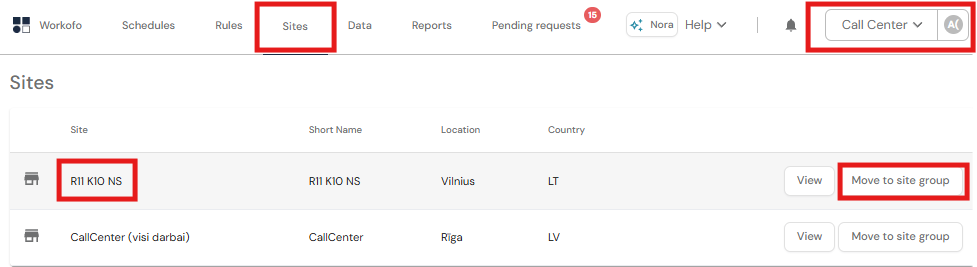
2. Find the required site and select Move to site group.
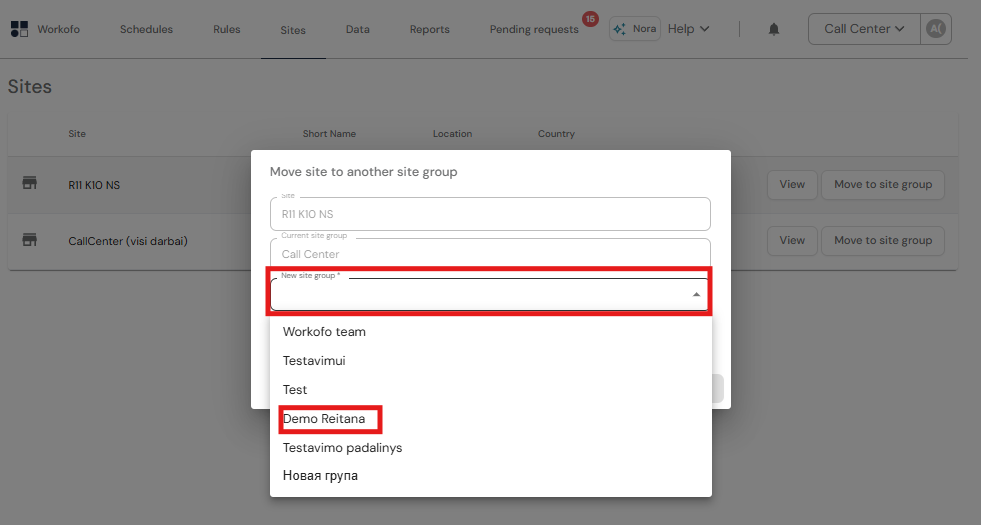
3. Select:
- New site group
- Effective from period—the first period when the site should belong to the new group.
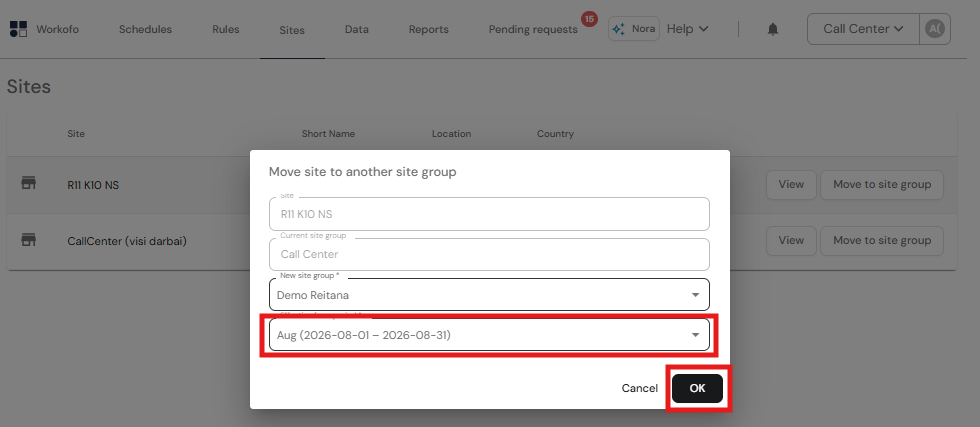
4. Click OK and review the preview, including affected employees, moved shifts, and shifts remaining as lending.
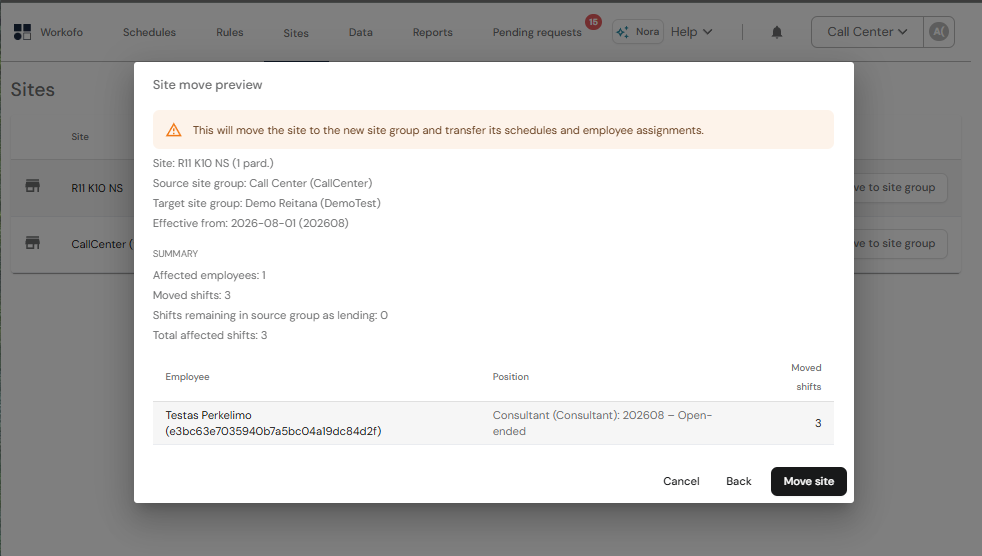
5. If everything is correct, click Move site.
The site, its relevant schedules, and employee assignments will be transferred from the selected period. Once the move starts, it cannot be cancelled from this window.
If the destination group does not exist yet, create it first using these instructions 'How do I create a new group?'