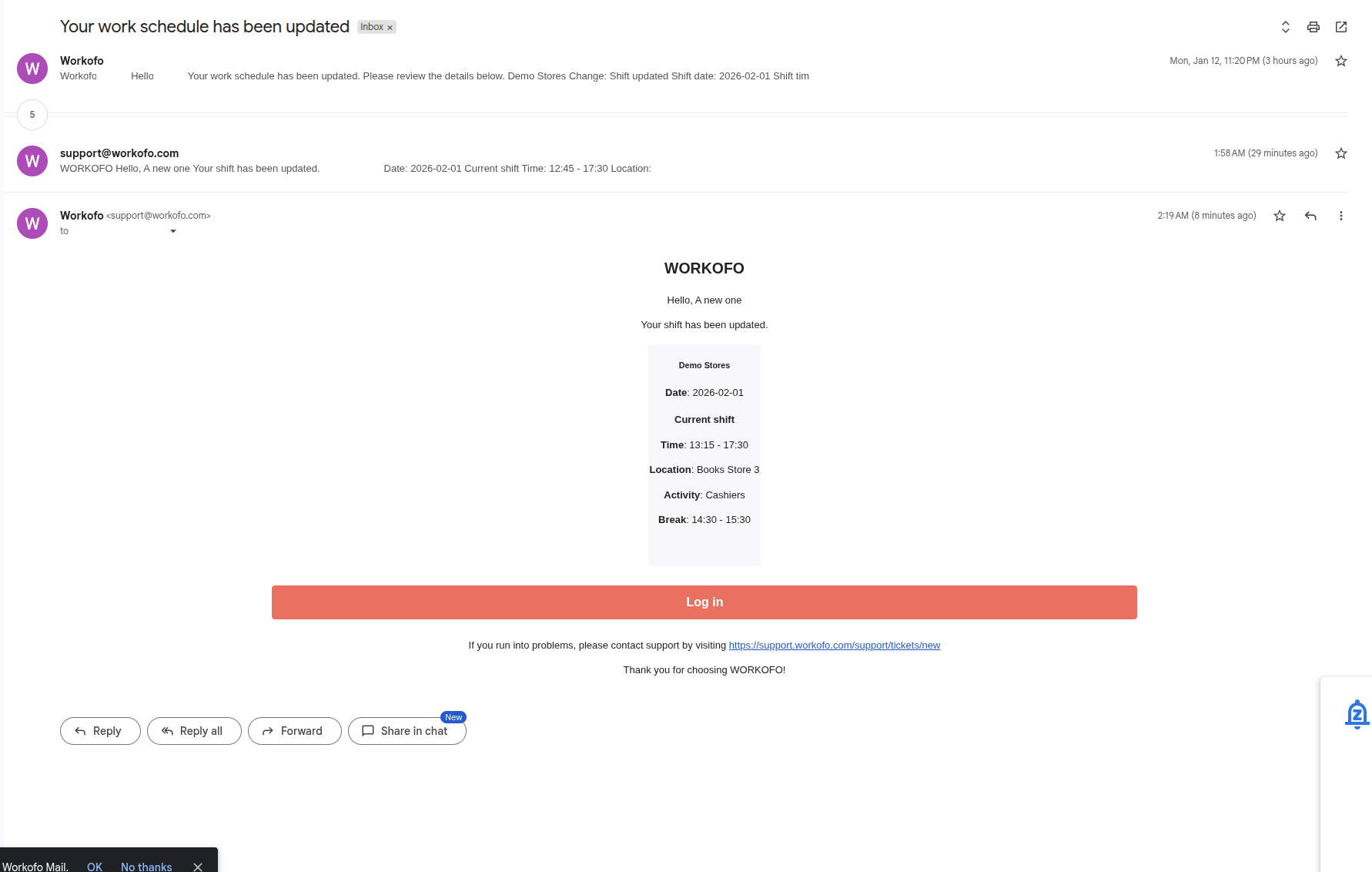
Each user now has the option to select email notifications in their user notification settings (this feature is disabled by default).
Emails are sent only about "actual" schedule changes, not about drafts, etc.
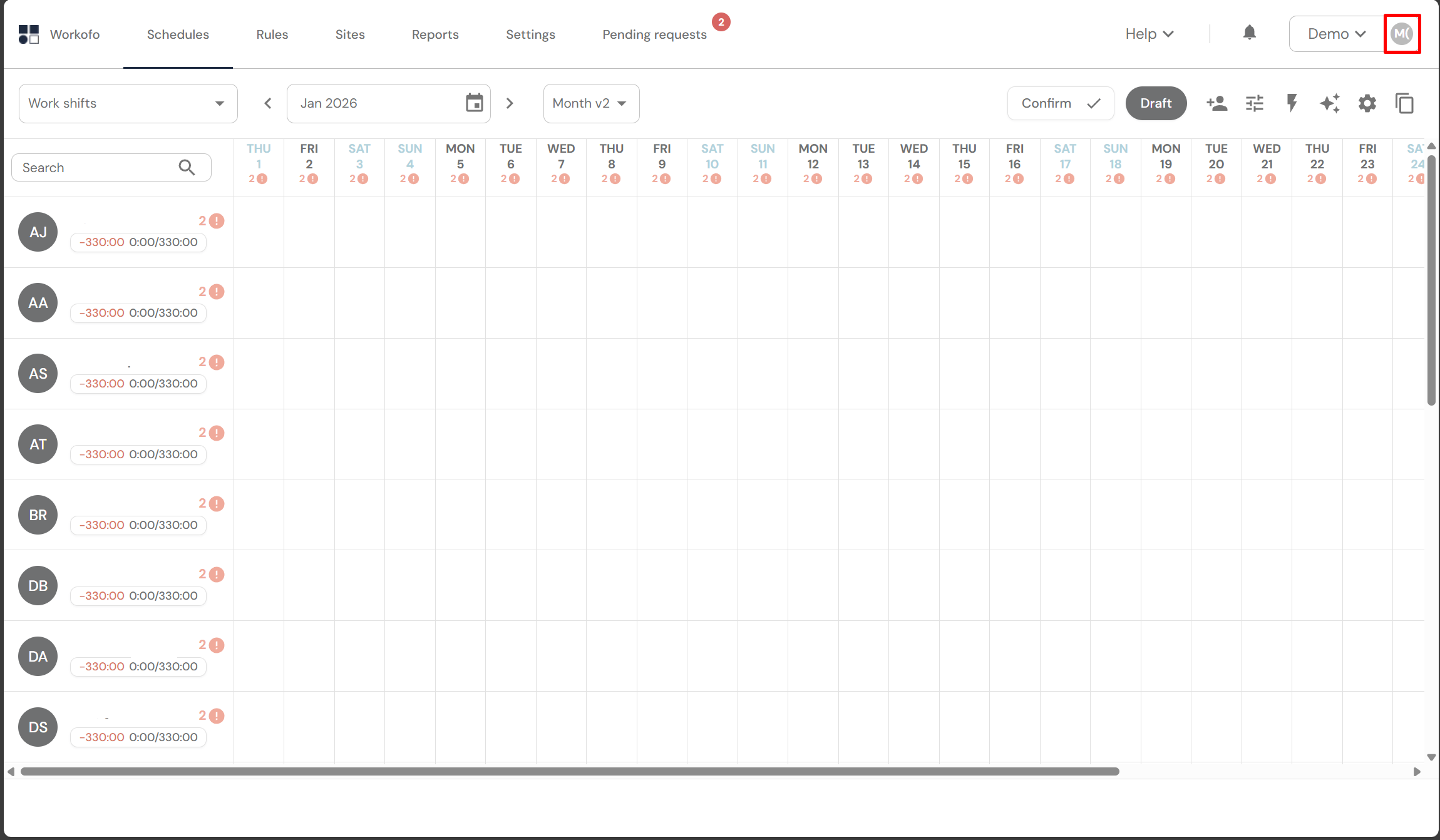
1. Click on your profile "avatar" in the WORKOFO system.
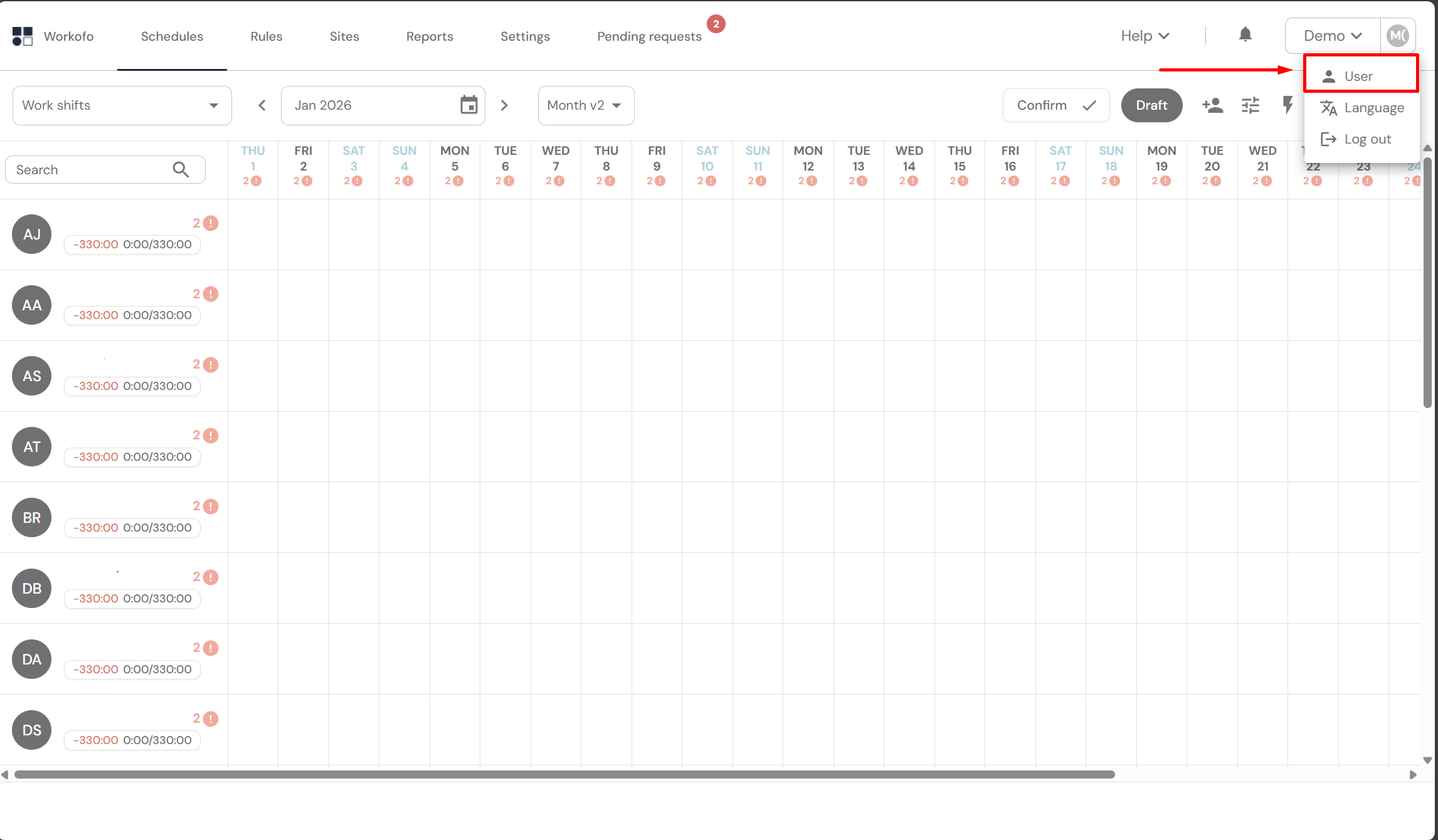
2. In the pop-up menu, select User.
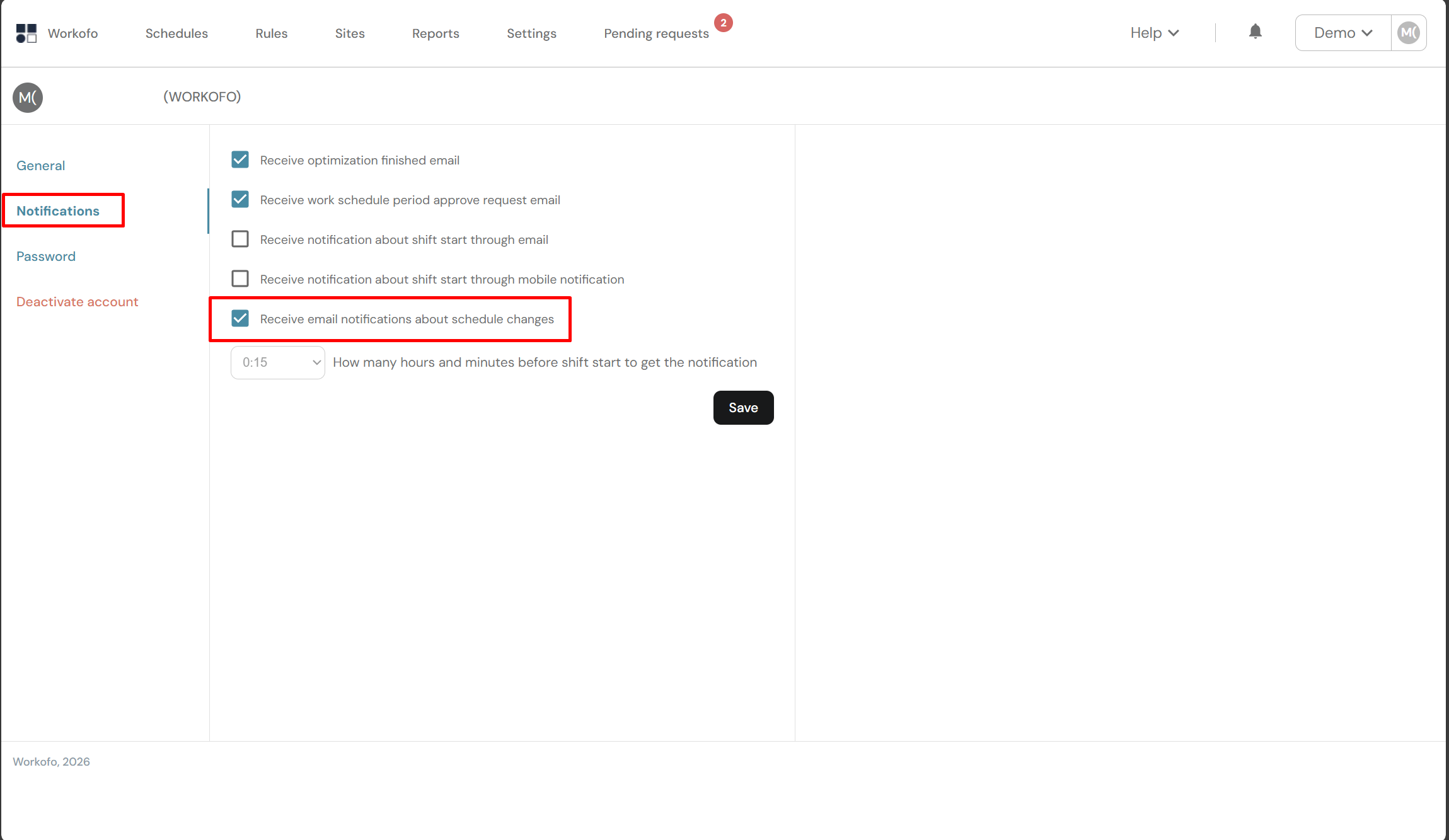
3. Click on "Notifications" and check the box "Receive emails notification about schedule changes".
4. You will receive an email notification when the schedule changes.