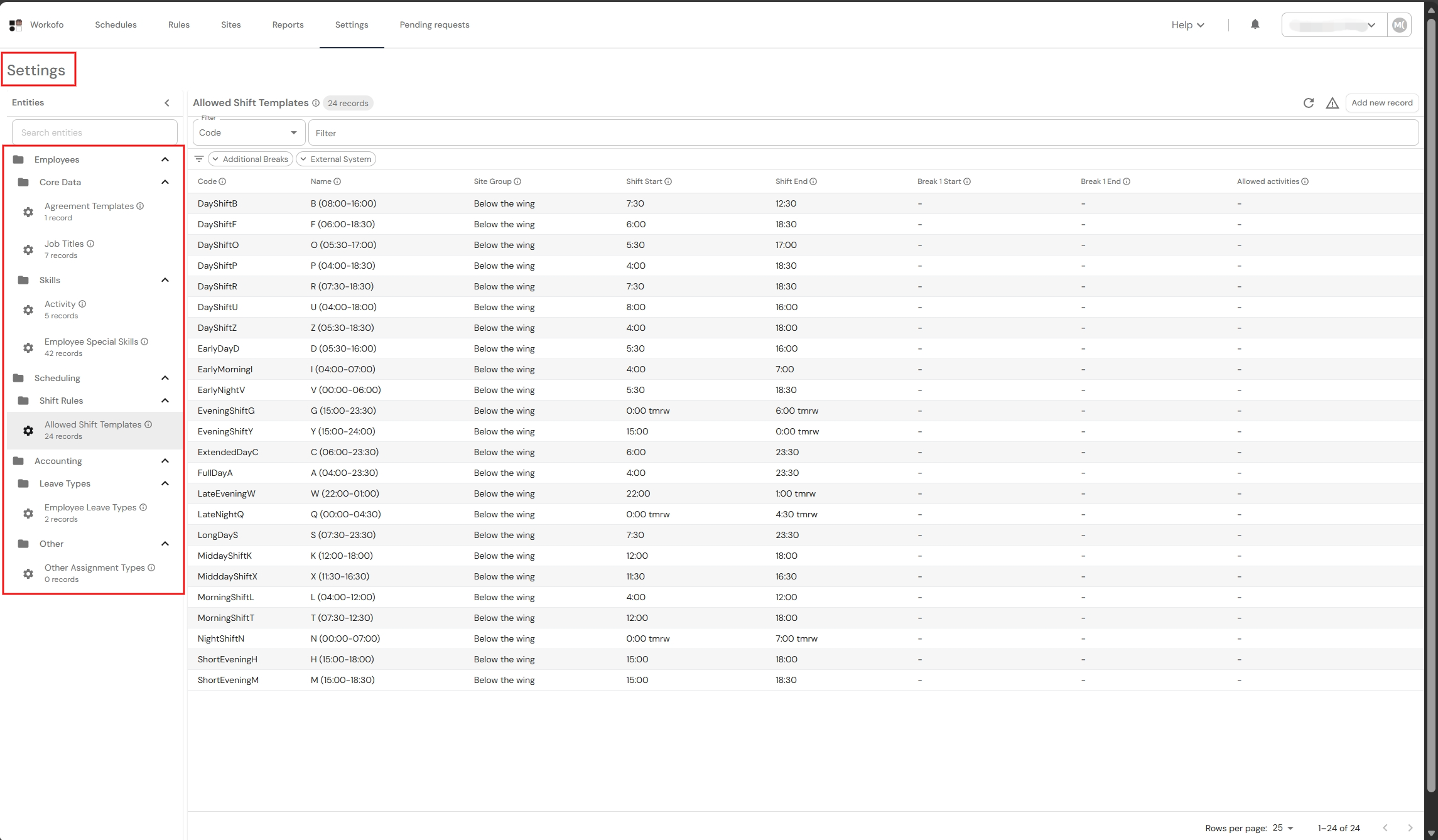
This is an optional, read-only functionality for users to check their company configuration settings. In order to see the settings page it has to be turned on in your company configuration settings. If any changes are required please contact your dedicated WORKOFO analyst and they will change the settings.
The main target of the functionality is to allow users make more edits in the WORKOFO system.
1. Click "Settings" ribbon in the top side bar.

2. In the "Settings" page, you will be able to see your company configuration pages (Agreement templates, job titles, activity codes, employee special skills, allowed shift templates, employee leave types, other assignment types).